How to Start a Faceless YouTube Channel in 2026: Complete Guide
Complete 2026 guide to starting a faceless YouTube channel — niche selection with real CPM data, the right AI tools, scripting that holds retention, production walkthrough, SEO, and the 7 mistakes that kill 90% of new channels.
How to Start a Faceless YouTube Channel in 2026: Complete Guide

You don't need a camera. You don't need a face. You don't need a studio, a ring light, or the courage to talk to a lens at 2am hoping the take is finally good.
In 2026, the most profitable kind of YouTube channel is one where you never appear on screen. Faceless channels in finance, true crime, history, and tech are pulling six figures with one operator and a laptop. Some of them have one person behind them. Some are run on a Tuesday after work.
This guide walks you through every step of starting a faceless YouTube channel this year, from picking a niche that actually pays, to scripting your first video, to hitting monetization. No fluff, no recycled advice from 2022.
Here's what you'll get:
- A short list of niches that still pay well in 2026 (with real CPM ranges, not hopeful guesses)
- The exact tools for scripting, voice, video, and thumbnails
- A script template that holds retention past the 50% mark
- Production walkthrough from script to MP4 in under 30 minutes
- Upload and SEO playbook so the algorithm can actually find your videos
- Monetization math: how many subs and watch hours you need, and what to expect per 1,000 views
- The 7 mistakes that kill 90% of new faceless channels in the first 60 days
If you've been sitting on the idea for months, this is the playbook. Read it, pick a niche, and ship a video this week.
Why faceless YouTube actually works in 2026
People keep asking if the faceless format is dead. It isn't. If anything, 2026 has been kinder to it than any year before.
Three reasons:
1. The algorithm doesn't care about your face.
YouTube ranks videos on watch time, click-through rate, and session duration. None of those are tied to a human appearing on screen. If your hook lands and people keep watching, you'll be served. A well-edited stock-footage video about compound interest will outperform a poorly-lit talking head every time.
2. The barrier to entry is the lowest it has ever been.
Five years ago, you needed an editor, a voice actor, or both. Today a script you wrote in ChatGPT becomes a finished video in 20 to 50 minutes depending on which tool you pick. You can produce a week's worth of content in one evening without owning a microphone.
3. It scales without you.
A face-on-camera channel needs you. If you're sick, no video. If you travel, no video. A faceless workflow can be batched, delegated, or automated. One creator I know runs three channels solo. Another runs five with one part-time contractor.
Same monetization, same payouts.
There's a myth that faceless channels get demonetized more or earn less. They don't. YouTube's monetization rules care about original commentary, value added, and policy compliance. They don't care whether you're on screen. Faceless finance channels regularly clear higher RPMs than face-cam vloggers because the advertisers care about who's watching, not who's talking.
If you can write or direct a script, you can run a faceless channel.
Step 1: Pick a niche that actually pays
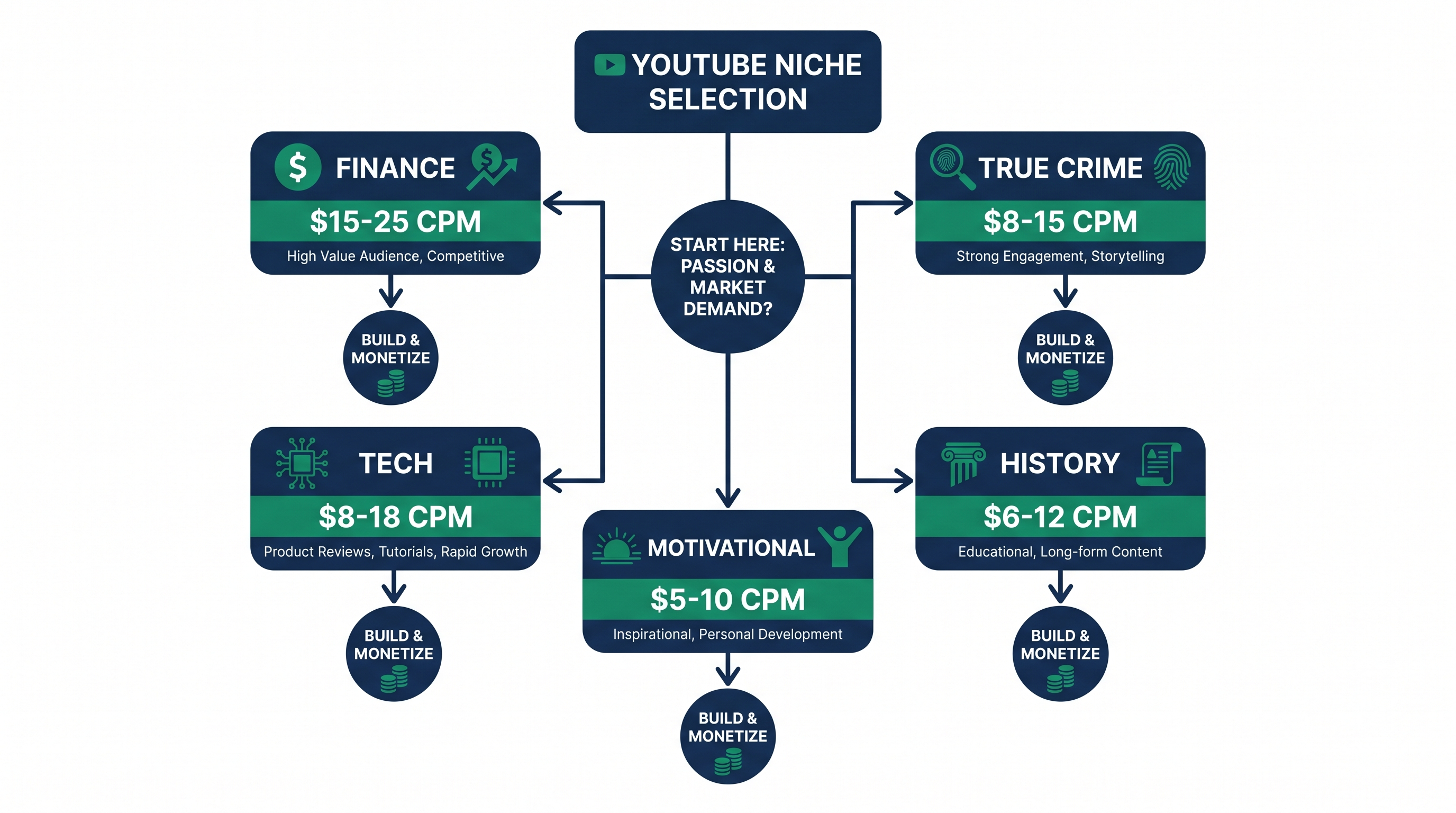
This is where 80% of beginners blow it. They pick a niche they "like" without checking if the niche prints money. Two channels with the same view count can earn wildly different amounts depending on advertiser demand.
Here's how CPM (cost per 1,000 views) breaks down across the most popular faceless niches in 2026. CPM is what advertisers pay; you'll keep roughly 55% of that as RPM. These ranges come from creator-reported data and tools like OutlierKit and TubeBuddy.
High-CPM niches (you want to be here):
- Finance & investing: $15 to $25 CPM. Brokerages, banks, and fintech apps fight for this audience. Best for explainers, market news, and personal finance breakdowns.
- Business & entrepreneurship: $12 to $20 CPM. SaaS and B2B advertisers pay premium. Case studies and how-to formats work great.
- Tech & AI tutorials: $8 to $18 CPM. Massive evergreen demand in 2026 with the AI boom. Software reviews and tutorials lead.
Mid-CPM niches (still great):
- True crime: $8 to $15 CPM. Huge audience, evergreen content, but increasingly saturated. Niche down (specific decades, unsolved, regional cases) to stand out.
- Book summaries: $8 to $15 CPM. Self-improvement readers click ads. Format: 8-12 minute distillations.
- Mystery & unsolved: $7 to $14 CPM. Conspiracy-adjacent without going off the rails policy-wise.
- History deep dives: $6 to $12 CPM. Long-form content gets watched fully. Excellent retention.
- Space & science: $6 to $12 CPM. Stock footage from NASA is free. Hard to compete with established channels but the ceiling is high.
- Philosophy: $6 to $12 CPM. Smaller audience, very loyal. Sponsorships are gold.
Lower-CPM niches (only pick if you love them):
- Animated storytelling: $9 to $13 CPM but production cost is higher.
- Motivational: $5 to $10 CPM. Easy to make, hard to differentiate.
- Scary stories: $4 to $8 CPM. Big view counts, low ad rates.
- Celebrity gossip: $3 to $7 CPM. Avoid unless you love the grind.
Validate before committing.
Once you've shortlisted two or three niches, do this in a single afternoon:
- Search the topic on YouTube. Look at videos from the past 90 days with under 50,000 subscribers that still got 100K+ views. That's a green light: small channels can win there.
- Check the comments. Are people engaged? Asking questions? Or just dropping fire emojis? Engaged comment sections mean ad-friendly retention.
- Look at the ads running on top videos. If you see Robinhood, Wealthfront, or Shopify ads, the niche pays well. If you see Temu and dropshipping ads, the CPM is low.
- Check if there's room for a fresh angle. Don't enter a niche where the top 20 channels look identical. Find a wedge: a personality, a format, a regional take, a contrarian opinion.
Pick the niche where you can produce one video a week for six months without burning out. Boring beats brilliant if you can sustain it.
Step 2: Pick your tools (the short list)
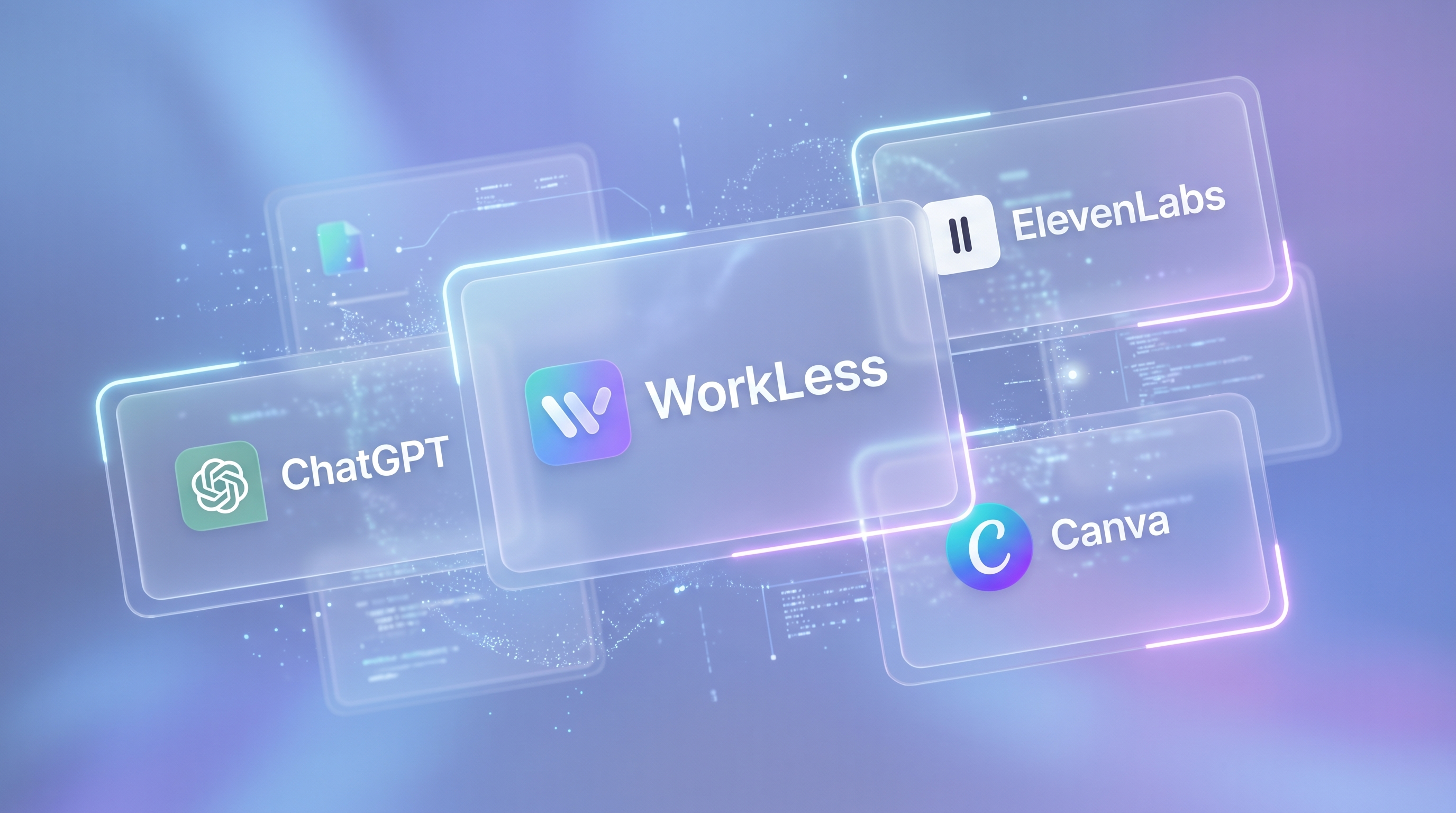
You need four kinds of tools for a faceless channel. Don't overthink this. Pick one of each, learn it well, and stop tool-shopping.
- The video generator (the most important choice).
The video tool is where you'll spend most of your time and what will define your output speed. In 2026 the three names that actually matter are:
- WorkLess if speed is your priority. Paste script, pick a voice, get a finished MP4 in roughly 20 minutes. Best for one-person operators trying to ship multiple videos a week.
- VidRush if you're running a team or want fine-grained editing control. Slower workflow but better collaboration.
- InVideo if budget is the main constraint. Cheaper monthly, but expect 40 to 50 minutes per video.
We tested all five major faceless generators side-by-side, including Pictory and Fliki. The full comparison with pricing, speed, and voice quality is in our best AI faceless video generators in 2026 post. Read that before you commit to a subscription.
- Voiceover.
Most of the video tools above include voices, and they've gotten genuinely good in 2026. Built-in voices are fine for 80% of channels.
If you want premium quality (and you can afford it), ElevenLabs is still the leader. Hyper-realistic voices, emotion control, voice cloning, multilingual. Worth the upgrade if your niche is finance, business, or anywhere a "cheap robot voice" will tank trust.
- Scripting.
This is the one place you should not cheap out on quality but should absolutely use AI to speed up.
- ChatGPT (GPT-5) for structure, hooks, and outlines.
- Claude (Sonnet 4.5 or higher) for long-form writing and tone.
Don't paste a one-liner and publish whatever it spits back. Use AI to brainstorm and outline, then rewrite in your voice. Pure AI scripts read like AI scripts, and viewers click off.
- Thumbnails.
Thumbnail tools split into two camps:
- Canva for templates and quick edits. Free tier is enough to start.
- AI generators (Midjourney, Ideogram, Nano Banana Pro) for original imagery you can't get from stock libraries.
A thumbnail is half the click. Spend more time on it than you think you should. The rule: if you can't tell what the video is about from the thumbnail in 1.5 seconds, redo it.
Total monthly cost to start: Between $30 and $80 depending on your tool stack. You don't need more than that in the first 90 days.
Step 3: Write your first script
Your script is the channel. Everything else is delivery. A great script with mediocre visuals will outperform beautiful visuals attached to a boring script.
Here's the structure that actually works.
The hook (first 10 seconds).
You have less time than you think. If the viewer doesn't get a reason to stay by second 10, they're gone. The retention curve drops off a cliff right around the 15-second mark on average.
Three hook patterns that consistently work in 2026:
- The provocative claim: "Most people earning six figures still feel broke. Here's why."
- The promise: "By the end of this video you'll know exactly how compound interest turned $200 a month into $1.4 million."
- The contradiction: "Index funds are supposed to be safe. The math says otherwise."
Whatever you pick, deliver on it. Hooks that overpromise and underdeliver get punished in retention data.
The body (Promise → Deliver → Pay-off).
Forget "intro / 3 points / outro." That format is dead. The new structure is a chain of promises and pay-offs.
- Promise: tell them what they're about to learn.
- Deliver: actually teach it, with one specific example or number.
- Re-hook: tease what's coming next ("but the next part is where it gets interesting").
- Loop through 3-5 more chunks of the same.
Every 60-90 seconds, you need a re-hook. Either a question, a tease, or a pattern interrupt. Otherwise people leave.
The CTA.
End with one ask. Not three. "If you found this useful, the next video on dividend stocks will change how you think about retirement income. It's linked below." Don't beg for likes. Tease the next watch.
Length recommendations for 2026:
- Finance, business, tech: 8 to 14 minutes is the sweet spot.
- True crime, history: 12 to 20 minutes. Audiences expect depth.
- Motivational, scary stories: 6 to 10 minutes. Tight is better.
- Book summaries: 10 to 15 minutes.
Match length to viewer expectation, not your word count.
Example finance script outline:
Topic: "The hidden cost of buying a new car"
- Hook (0:00 - 0:15): "A new $40,000 car costs you closer to $120,000 over ten years. Here's the math nobody shows you."
- Promise (0:15 - 0:30): "By the end you'll know the four hidden costs and the smarter alternative."
- Point 1 (0:30 - 2:00): Depreciation. Specific example with numbers.
- Point 2 (2:00 - 3:30): Insurance and financing.
- Point 3 (3:30 - 5:00): Maintenance and fuel over a decade.
- Point 4 (5:00 - 6:30): Opportunity cost of the down payment.
- The alternative (6:30 - 8:00): Used car math.
- CTA (8:00 - 8:30): "The follow-up on used car traps to avoid is here."
That's a script you could write in an hour and produce in a day.
Step 4: Generate the video
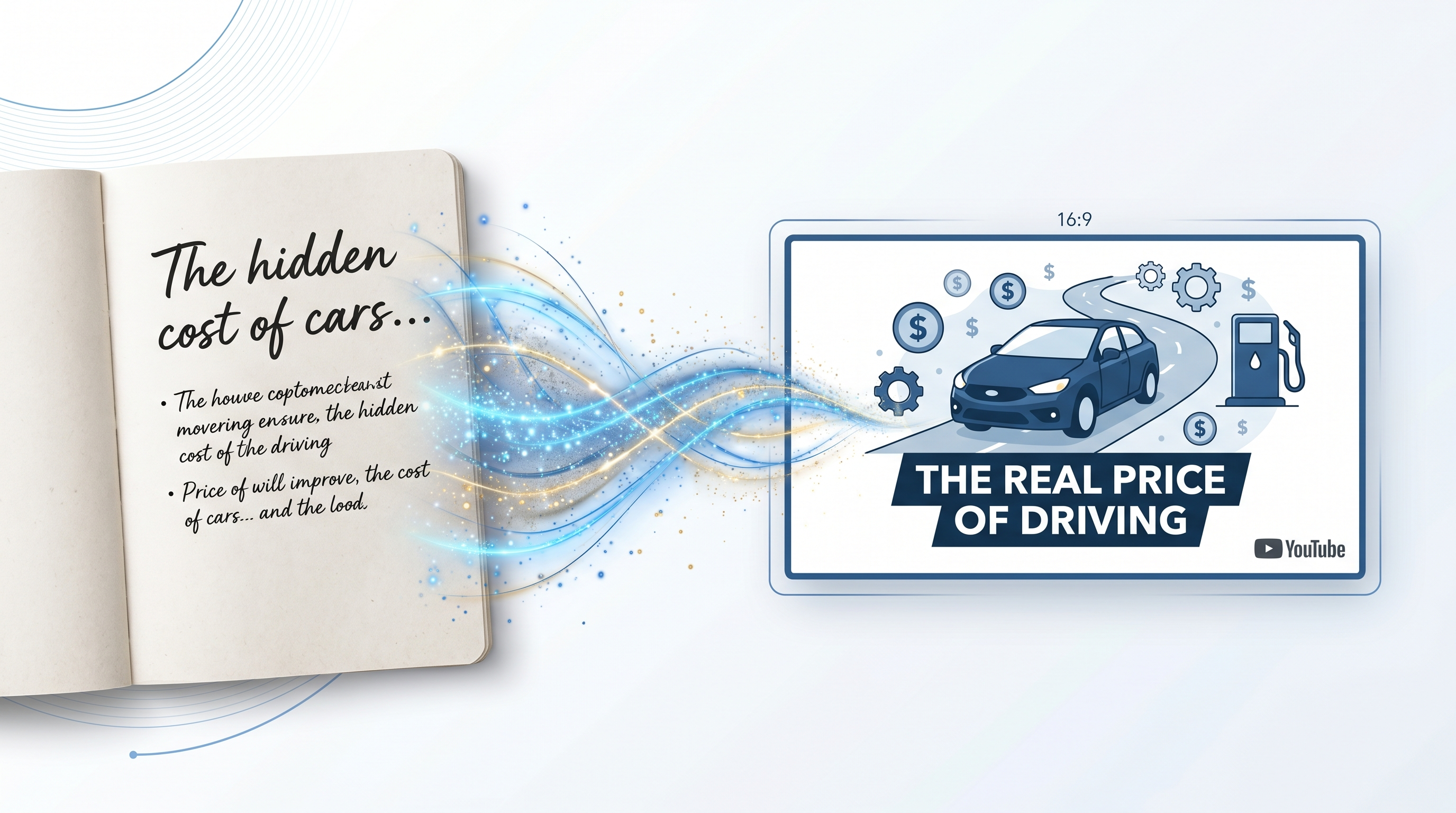
This is where 2026 stops feeling like work and starts feeling unfair.
Take that script you wrote, paste it into your video tool, and let the machine do its thing. Here's the walkthrough using WorkLess because that's the workflow I know best and it's the fastest of the bunch.
- Paste your script.
Whole script, top to bottom. Don't try to break it into scenes manually. The tool handles that.
- Pick a mode.
Choose your visual style. Stock-footage-heavy for finance and business. AI-generated imagery for storytelling or fantasy. Mixed mode for educational content. WorkLess offers presets for each major niche so you're not guessing.
- Select a voice.
Pick from the built-in library or import an ElevenLabs voice. Match the tone to the niche. Deep authoritative voices work for finance and true crime. Lighter conversational voices work for tech tutorials and motivational.
- Hit generate. Walk away.
The video renders in roughly 20 minutes with WorkLess. Other tools take 30 to 50 minutes for the same output. Either way, this is the part where you don't need to be at the desk. Make coffee, go for a walk, batch the next script.
- Download the MP4.
Review it once before uploading. Check the pacing. Listen for awkward pronunciations on names and numbers. Most tools let you tweak individual scenes if a clip looks off, but don't get stuck in the polish loop. Done is better than perfect, especially for video three of one hundred.
The honest take:
We compared five tools in detail (Pictory, InVideo, Fliki, VidRush, WorkLess) and the full breakdown is in our tool comparison post. WorkLess won on speed; InVideo won on price; VidRush won on team features. Pick what fits your situation. None of them is a scam; they're just optimized differently.
The point is: in 2026, your video production should take less time than your script writing. If it doesn't, you're using the wrong tool.
Step 5: Upload and tune for the algorithm
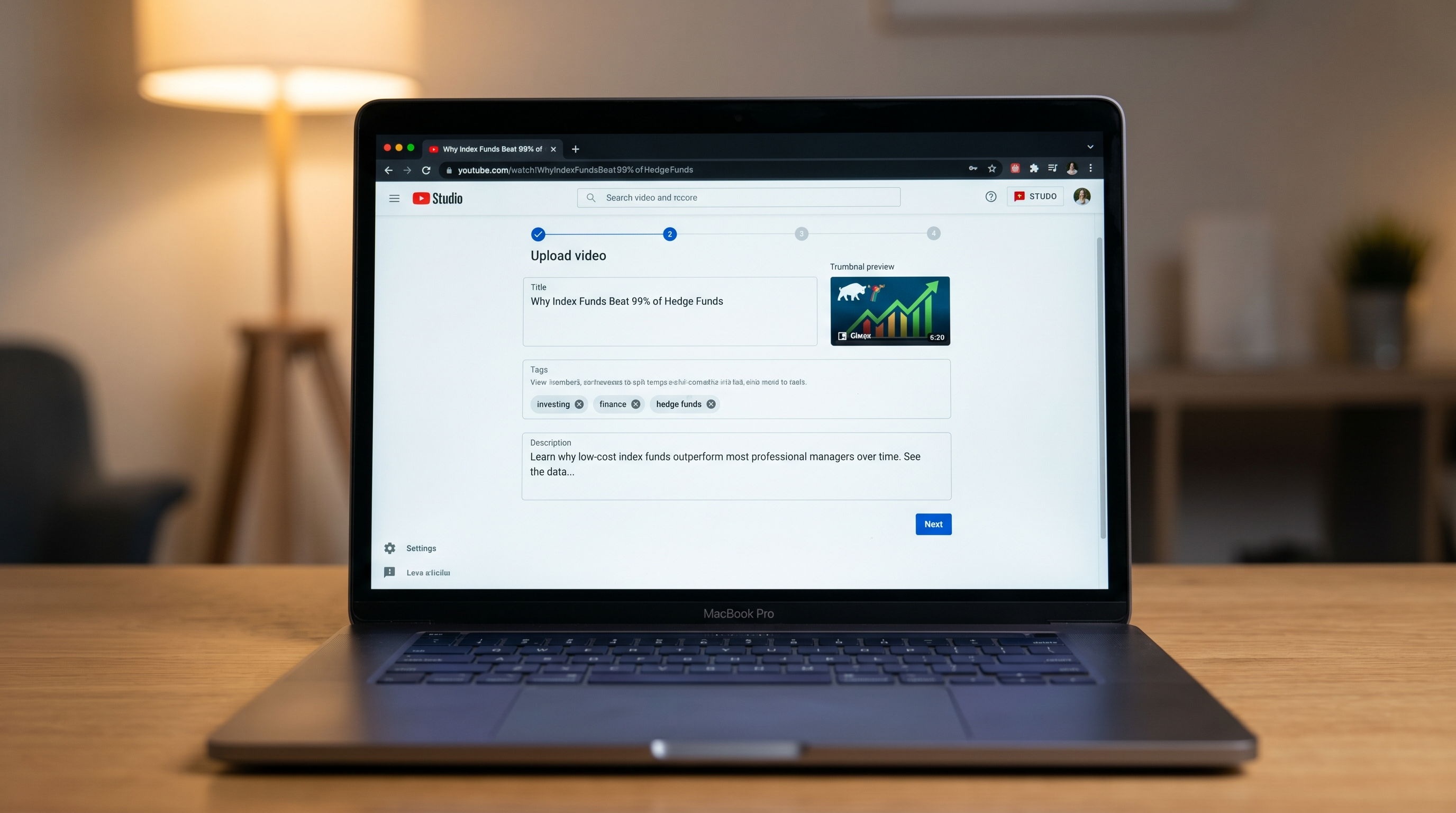
You have a finished MP4. Uploading without an SEO checklist is leaving views on the table. Here's the minimum you should do for every upload in 2026.
Title formula.
YouTube's algorithm leans heavily on click-through rate. Your title needs to do two jobs: signal the topic clearly to the algorithm, and trigger curiosity in the human.
Three title patterns that work this year:
- The number + outcome: "I Tracked My Spending for 90 Days. Here's What Changed."
- The question: "Why Are Index Funds Beating 99% of Hedge Funds?"
- The contradiction: "Stop Paying Off Your Mortgage Early (Here's Why)"
Keep it under 60 characters so it doesn't truncate on mobile. Front-load the keyword for search rankings.
Thumbnail tips.
The thumbnail is the click. Rules that hold up in 2026:
- One subject. No clutter.
- High contrast. Dark thumbnails get scrolled past.
- Big text, three to five words max.
- A face or eyes (yes, even on faceless channels, use a celebrity, a historical figure, or a stylized illustration of a person).
- A/B test two thumbnails using YouTube's built-in tool (rolled out 2024, still gold).
Description SEO.
The first two lines matter most. They show in search snippets. Write a one-sentence summary, then drop the timestamp chapters below.
Include your main keyword in the first 100 words, then write naturally. Don't keyword-stuff. Add 3-5 links at the bottom (related videos, your other social, affiliate links if relevant).
Tags.
Tags are mostly for disambiguation now, not ranking. Add 5-10 tags: your channel name, the niche, the specific topic, and two or three broad ones. Don't waste an hour on tags.
End screens and cards.
Always add an end screen. Link to the most related video on your channel, not your most popular. Related = more retention; popular = more clicks but worse downstream session time.
Add one mid-roll card pointing to a related video, around the 60% mark of your video. Subtle reinforcement, not a hard pitch.
Upload schedule.
Pick a day and stick to it. The algorithm rewards consistency more than frequency. One video a week, every week, beats three videos one week and zero the next.
Step 6: Monetization (the real numbers)
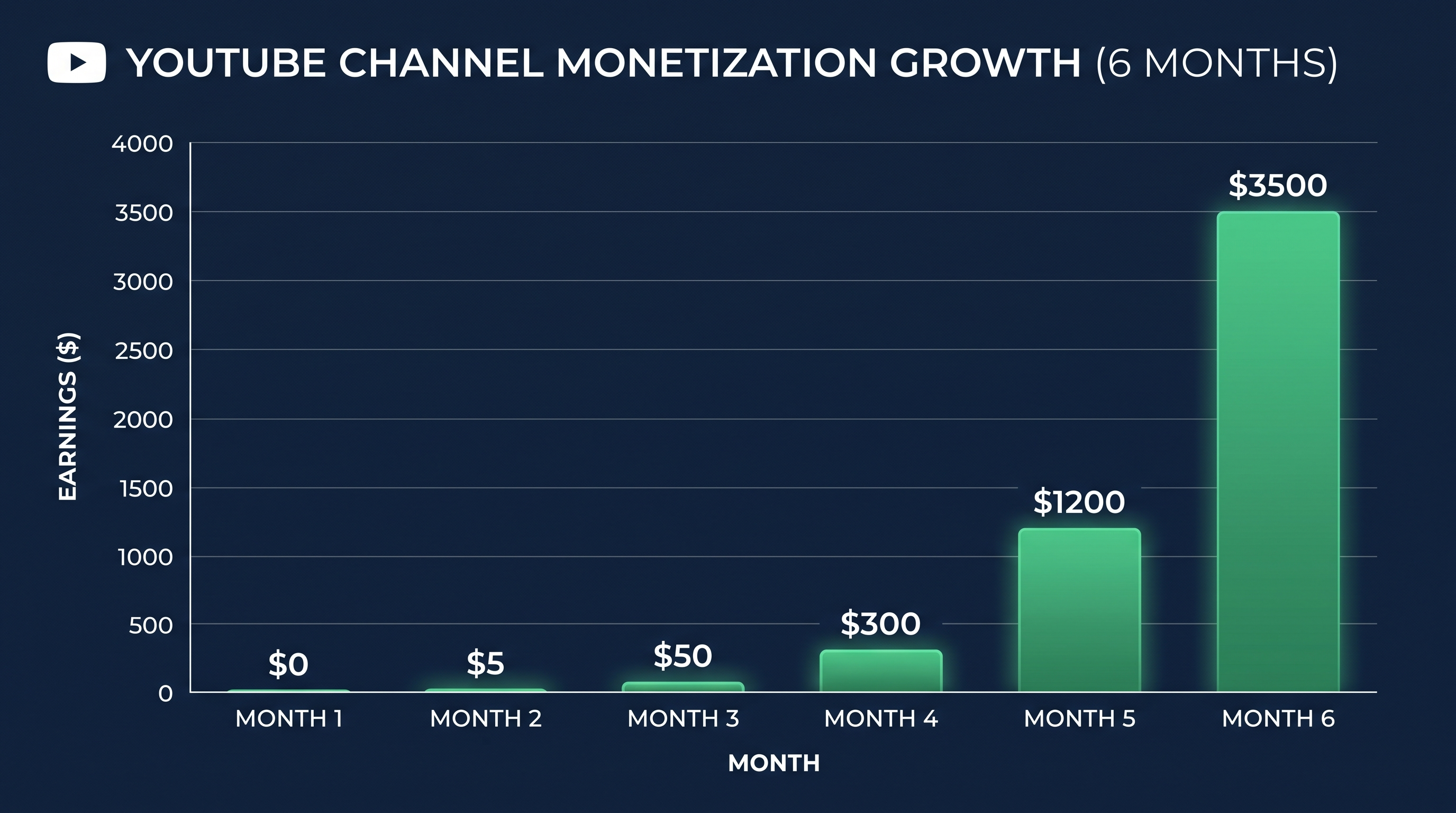
Let's talk money. This is the section beginners skim and later wish they'd read carefully.
The bar to qualify for the YouTube Partner Program.
You need:
- 1,000 subscribers, and
- 4,000 valid public watch hours in the last 12 months, OR
- 10 million Shorts views in the last 90 days
Most faceless creators hit the long-form bar (1K + 4K) faster than the Shorts bar unless they're posting daily.
Realistic timeline.
For a new faceless channel posting one solid video a week in a competitive niche:
- Month 1-2: Channel is invisible. Maybe 100-500 views per video. Don't panic. This is the audition.
- Month 3-4: One video might pop to 5K-20K views. Subscribers start trickling in.
- Month 4-6: Monetization bar is realistic if you've had at least one outlier video and consistent uploads. Most channels that hit monetization do it in 3 to 6 months.
If you're still under 100 subs after six months of weekly uploads in a real niche, the issue is the content, not the algorithm.
CPM and RPM by niche (what you'll actually earn).
CPM is what advertisers pay; RPM is what you keep. Rough numbers:
| Niche | CPM | RPM (your take) | Earnings per 100K views |
|---|---|---|---|
| Finance | $15-25 | $8-15 | $800-$1,500 |
| Business | $12-20 | $7-12 | $700-$1,200 |
| Tech | $8-18 | $5-11 | $500-$1,100 |
| True crime | $8-15 | $5-9 | $500-$900 |
| History | $6-12 | $3-7 | $300-$700 |
| Motivational | $5-10 | $3-6 | $300-$600 |
Multiple revenue streams.
Ad revenue is the floor, not the ceiling. By month six, most successful faceless creators are stacking:
- AdSense: the base layer.
- Affiliate links: 30-50% of total income for tech, finance, and tool review channels.
- Sponsorships: $20-50 CPM equivalent, much higher than AdSense, available once you cross 10K-20K subs.
- Digital products: courses, templates, ebooks. Highest margin once you have an audience.
- Memberships and Patreon: small but loyal income for niche channels.
A faceless finance channel doing 500K views a month can clear $4,000-$7,500 from AdSense alone, plus $2,000-$5,000 from affiliates, plus sponsorships once it scales. That math is why people stick with this.
The 7 mistakes that kill 90% of new faceless channels
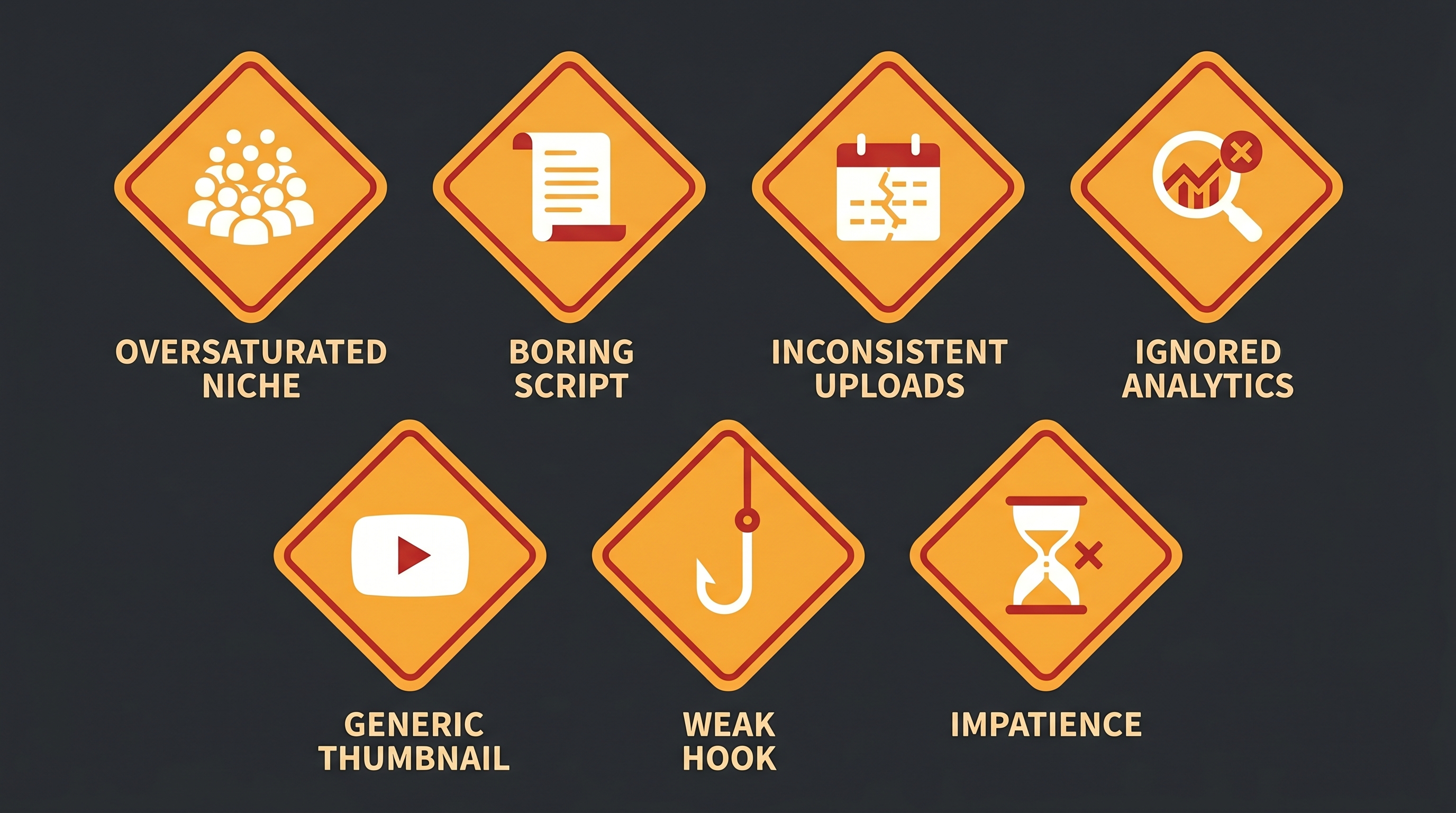
If you only remember one section of this guide, make it this one. These are the failure patterns that come up over and over.
1. Picking an oversaturated niche.
Generic "motivational quotes with stock footage" channels are dead in 2026. So are "top 10 facts" channels with no angle. If the first 30 results for your topic look interchangeable, you're entering a graveyard.
Fix: niche down by a specific angle, format, or audience. Not "personal finance" but "personal finance for couples in their 30s." Not "true crime" but "unsolved cold cases from the Pacific Northwest."
2. Boring, AI-generated-sounding scripts.
If your script reads like ChatGPT's first draft, your retention will reflect it. Viewers can smell synthetic writing in two sentences.
Fix: write the outline with AI, then rewrite the actual lines in your voice. Cut every phrase you wouldn't say out loud to a friend. Read it back. If it sounds like a TED-Ed narration, tear it down.
3. Inconsistent uploads.
Three videos one week, then a month of silence. The algorithm reads inconsistency as "this channel is dying" and stops showing you. Subscribers forget you exist.
Fix: commit to one quality video a week for six months. Block the time on your calendar. Batch when you can.
4. Ignoring analytics.
Most beginners check view counts and nothing else. The real signals are average view duration, click-through rate, and audience retention graphs.
Fix: every Sunday, open YouTube Studio. Look at the retention graph for your last three videos. Where do people drop? Patch that hole in the next script.
5. Generic thumbnails.
If your thumbnail blends into the search results, you don't get clicked. Doesn't matter how good the video is.
Fix: study the top 5 thumbnails in your niche this week. Don't copy them. Do the opposite. If they're all bright and busy, go minimal. If they're all minimal, go bold. Stand out, then test.
6. Weak hooks.
A 30-second intro about who you are and what the channel is about is a retention killer. Nobody cares yet. They want the value.
Fix: drop them straight into the most interesting part of the video. The hook is "here's the surprise" not "welcome back to the channel."
7. Expecting overnight success.
This is the silent killer. Three months in with no traction, they quit. Two weeks later, the videos they posted four months ago start ranking and they never see it because they stopped.
Fix: commit to 26 videos before you evaluate anything. That's six months at one per week. If after 26 videos in a real niche with decent execution you're at zero, then reassess. Most who quit do it at video 8 or 12.
FAQ
How much money can a faceless YouTube channel make?
Anywhere from $0 to mid six figures a month, depending on niche, view count, and how well you stack revenue streams. A finance channel doing 1 million views a month can clear $10,000-$20,000 from AdSense alone, plus affiliates and sponsorships. A motivational channel at the same view count earns closer to $3,000-$6,000. Niche and CPM matter more than view count.
Do faceless YouTube channels get monetized?
Yes. YouTube's monetization rules don't care whether you're on camera. They care about original commentary, value added, and policy compliance. Your channel will get monetized as long as your content adds value (analysis, narration, original script) and doesn't violate guidelines.
How long does it take to grow a faceless YouTube channel?
Most channels that hit the 1,000 subs / 4,000 watch hours bar do it in 3 to 6 months of consistent weekly uploads in a real niche. If you're past 6 months at one upload a week with zero traction, the bottleneck is content quality or niche selection, not time.
What is the best niche for a faceless YouTube channel in 2026?
Finance, business, and tech have the highest CPMs ($12-25 range). True crime, book summaries, and history have huge audiences with mid-range CPMs. The "best" niche is the one you can produce consistently for six months. Match CPM ambition with your interest level.
Can you start a faceless YouTube channel with no money?
Almost. You'll need a YouTube account (free), a script (free with ChatGPT/Claude), and a video tool. Most video tools have free tiers or trials. Realistically, expect to spend $30-$80 a month once you start producing weekly. That's the bare floor.
Wrapping up
A faceless YouTube channel in 2026 is one of the cleanest businesses you can start. Low overhead, no inventory, no shipping, no awkward camera presence. One person can build it on the side of a day job and grow it into a real income inside a year.
Here's the path one more time:
- Pick a niche with real CPM. Validate it.
- Pick your tools. Don't tool-shop. One of each, learn it.
- Write a script with a real hook and pay-offs.
- Generate the video. Twenty minutes if you pick the right tool.
- Upload and tune the metadata. Title, thumbnail, description, schedule.
- Monetize. Hit 1K subs and 4K hours, then stack revenue streams.
If you want the fastest production loop, WorkLess is what I'd start with: paste your script, walk away, come back to a finished MP4 in roughly 20 minutes. If you want to see how it compares to VidRush, InVideo, Pictory, and Fliki side by side, our full tool review breaks down pricing, speed, and voice quality across all five.
The biggest difference between people who succeed at this and people who don't isn't talent. It's video number 26. Most people quit at video eight. Don't be that person.
Pick the niche. Write the script. Ship the first video this week.