Best AI Faceless Video Generators in 2026: Complete Comparison
We tested 5 AI faceless video generators side-by-side. Honest comparison of WorkLess, VidRush, Pictory, InVideo, and Fliki to help you choose the best tool in 2026.
Best AI Faceless Video Generators in 2026: Complete Comparison
Faceless YouTube videos used to cost $50 to $200 each when you hired editors. In 2026, the right AI tool does the same job for under five bucks.
We tested every major faceless AI video generator worth testing. Some finish a video in 20 minutes. Others take 50. Some charge per video, others lock you into subscriptions that sit unused. Some offer 60 voices, others 1,800.
This is the honest ranking.
No affiliate fluff, no credit-system math tricks. Just speed, cost, and which tool wins for which kind of creator.
The 30-second answer
If you're here for the quick verdict:
| Tool | Best for | Cost per minute | Speed |
|---|---|---|---|
| WorkLess | High-output creators, no subscription | $2.50–4.50/min | 20 min |
| VidRush | Agencies and teams at scale | $1.93–2.72/min | ~50 min |
| Pictory AI | Blog repurposing | ~$1.50/min effective | 5–10 min |
| InVideo AI | Solo creators who hate editing | ~$0.50/video on Plus | 5–15 min |
| Fliki AI | Multilingual and voice-heavy channels | ~$0.10/min audio-first | 5–10 min |
For most creators: WorkLess if you want speed without a monthly commitment. VidRush if you're running 50+ videos a month and can wait. Everything else slots in between.
Keep reading for the full breakdown.
What "faceless AI video generator" actually means in 2026
There are three formats people call "faceless YouTube":
-
Narrated B-roll, AI voice over stock footage or generated visuals. Think finance explainers, true crime docs, history channels. This is 80% of the faceless market.
-
AI avatars, Synthesia-style talking heads. Technically "faceless" (no real person), but most audiences can tell it's synthetic. Works for corporate training, not entertainment.
-
Pure AI video, Sora 2 / Veo 3.1 text-to-video. Still experimental, hit-or-miss quality, expensive. Not ready for production yet.
This comparison focuses on narrated B-roll tools, the proven format that's making creators money right now. Script goes in, 1080p video comes out, ready for YouTube upload.
Why creators use them:
- Scale: make 10 videos in the time it took to edit one manually
- Cost: $25–45 per video vs $500–2,000 hiring editors
- No camera anxiety: perfect for introverts or channels where personality isn't the draw
- Niche flexibility: test 5 niches in a month without committing to on-camera content
The barrier used to be finding a tool that doesn't suck. In 2026, the tools are good. The question is which one fits your workflow.
How we tested these tools
We ran the same 1,800-word finance script through all five generators. Here's what we measured.
Generation speed: clock time from script upload to finished 1080p video. Not "approximate" marketing claims; actual minutes on a timer.
Output quality: 1080p resolution, scene transitions, B-roll relevance, voice sync, pacing. Did it feel like a real documentary or a slideshow?
Pricing transparency: can you see the price before you click generate? Or is it buried in credit math?
Voice options: how many voices? How good are they? Can you do ElevenLabs-quality narration or is it robotic?
Customization: can you tweak pacing, visuals, voice? Or is it one-size-fits-all?
Ease of use: did we finish setup in 10 minutes or 2 hours?
We didn't cherry-pick. Every tool got the same script, same evaluation rubric. Here's what shook out.
The 5 best faceless AI video generators, ranked
1. WorkLess — best overall for high-output creators

What it is: End-to-end script-to-video pipeline. Paste your script, pick a mode (Niche, Character, or Custom), wait 20 minutes. Download a 1080p MP4 ready for YouTube.
Pricing: $2.50/min (Niche mode), $3.50/min (Character mode), $4.50/min (Custom mode). Pay-per-video, no subscription.
Example cost: A 10-minute finance video costs $25 (Niche), $35 (Character), or $45 (Custom). A 15-minute true crime doc costs $37.50–$67.50. That's it. No credit math. No monthly fees collecting dust.
Speed: ~20 minutes from script to finished video. Fastest in this comparison by 2–3×.
Voices: 394 (ElevenLabs + MiniMax combined). Covers basically every accent and language niche.
Key features:
- Three generation modes: Niche (pre-tuned for 33 niches like Finance, True Crime, History), Character (consistent character visuals across videos for story-driven channels), Custom (full control over pacing, visuals, voice).
- No subscription model. You pay $2.50–4.50 per minute of finished video, only when you generate.
- 1080p output, horizontal pan animations (not zoom, smoother motion), automated scene pacing.
- 33 niche presets mean you're not starting from scratch every time.
Pros:
1. 20-minute generation is the fastest we tested. VidRush takes ~50 minutes. InVideo takes 25–35. If you're shipping 10 videos/month, that's 5 hours saved vs VidRush, 2.5 hours vs InVideo.
2. Transparent pricing. You see "$25" before you click generate. No credit conversion. No "approximately 4.2 videos per month" estimates that overshoot.
3. No monthly commitment. Make 2 videos this month, 10 next month, 0 the month after. You only pay when you generate.
4. 394 voices is the second-largest library here (Fliki has 1,800+, but most are lower-quality stock voices). WorkLess uses ElevenLabs + MiniMax, the two best TTS providers in 2026.
Cons:
1. Per-minute pricing gets expensive at massive scale. If you're making 50+ videos/month at 10 minutes each, WorkLess costs $1,250–2,250/mo. VidRush's Scale plan ($1,750/mo) beats that at high volume.
2. No team seats yet. VidRush has workspaces with 3–10 team members. WorkLess is solo-creator-focused right now.
3. Newer brand. InVideo has a 10-year community, thousands of tutorials. WorkLess launched in 2025, smaller ecosystem.
Best for: High-output creators (5–30 videos/month), anyone who's been burned by subscription credit waste, creators testing niches without long-term commitment, channels where speed matters (daily upload schedules).
2. VidRush — best for teams and high-volume agencies

What it is: Full-pipeline AI video generator with team workspaces, reference-video style matching, and built-in timeline editing. Aimed at agencies running multiple channels.
Pricing: Credit-based. Starter $99/mo (~4 videos), Pro $490/mo (~25 videos), Scale $1,750/mo (~100 videos). Per-minute cost: $1.93–$2.72/min depending on tier. Yearly billing saves 20%.
Example cost: A 10-minute video costs $19.30 (Scale tier) to $27.20 (Starter tier). That sounds cheaper than WorkLess, but you're locked into monthly minimums. $99/mo for 4 videos means you're paying $24.75/video whether you use them or not.
Speed: ~50 minutes per video. Their "Pro reasoning model" (higher quality) is slower. If you batch-generate 10 videos, expect 8–10 hours total.
Voices: Full library plus 25 VidRush-exclusive voices. Exact count not published, but competitive with WorkLess.
Key features:
- Reference video control: upload a style reference, VidRush matches pacing and visuals. Unique feature.
- Team workspaces (Pro+): 3–10 team members, shared credit pool, concurrent generations.
- Built-in editor with timeline scrubbing. Most tools are "generate and hope", VidRush lets you tweak after generation.
- Thumbnail generation included. Small thing, but saves time.
- All features unlocked on all tiers (Starter = same feature set as Scale, just fewer credits).
Pros:
1. Production quality is top-tier. B-roll matching, voice sync, pacing, it feels closer to manually-edited content than any other tool.
2. Team seats + concurrent generations. If you're running 5 channels with 2 editors, VidRush's Pro/Scale plans make sense.
3. Per-minute cost drops to $1.93 at Scale. If you're making 100+ videos/month (1,000 minutes), that's the best rate in this comparison.
4. Reference-video feature is genuinely useful for agencies with brand style guides.
Cons:
1. Waitlist / invite-only. In May 2026, VidRush still requires invite codes for new users in most regions. That's friction before you can even pay.
2. 50-minute generation time is the slowest here. 2.5× slower than WorkLess, 5× slower than Pictory for shorts.
3. Credit math is opaque. "Approximately 4 videos" on Starter tier often turns out to be 3.2 videos once you account for retakes and credit consumption per feature (thumbnails, music, etc.).
4. Starter $99/mo for 4 videos is punishing for solo creators testing the tool. You're paying $25/video, more expensive than WorkLess Niche mode ($25/video for 10 min) without the flexibility.
Best for: Agencies with 3+ team members, creators running 50–100+ videos/month, teams who need style consistency across channels, anyone who values production quality over speed.
Bottom line: If you're solo and making 10 videos/month, VidRush's $99 Starter tier doesn't make sense. If you're an agency making 100 videos/month, the Scale plan ($1,750/mo = $1.93/min) is the best rate in this comparison.
3. Pictory AI — best for blog repurposing
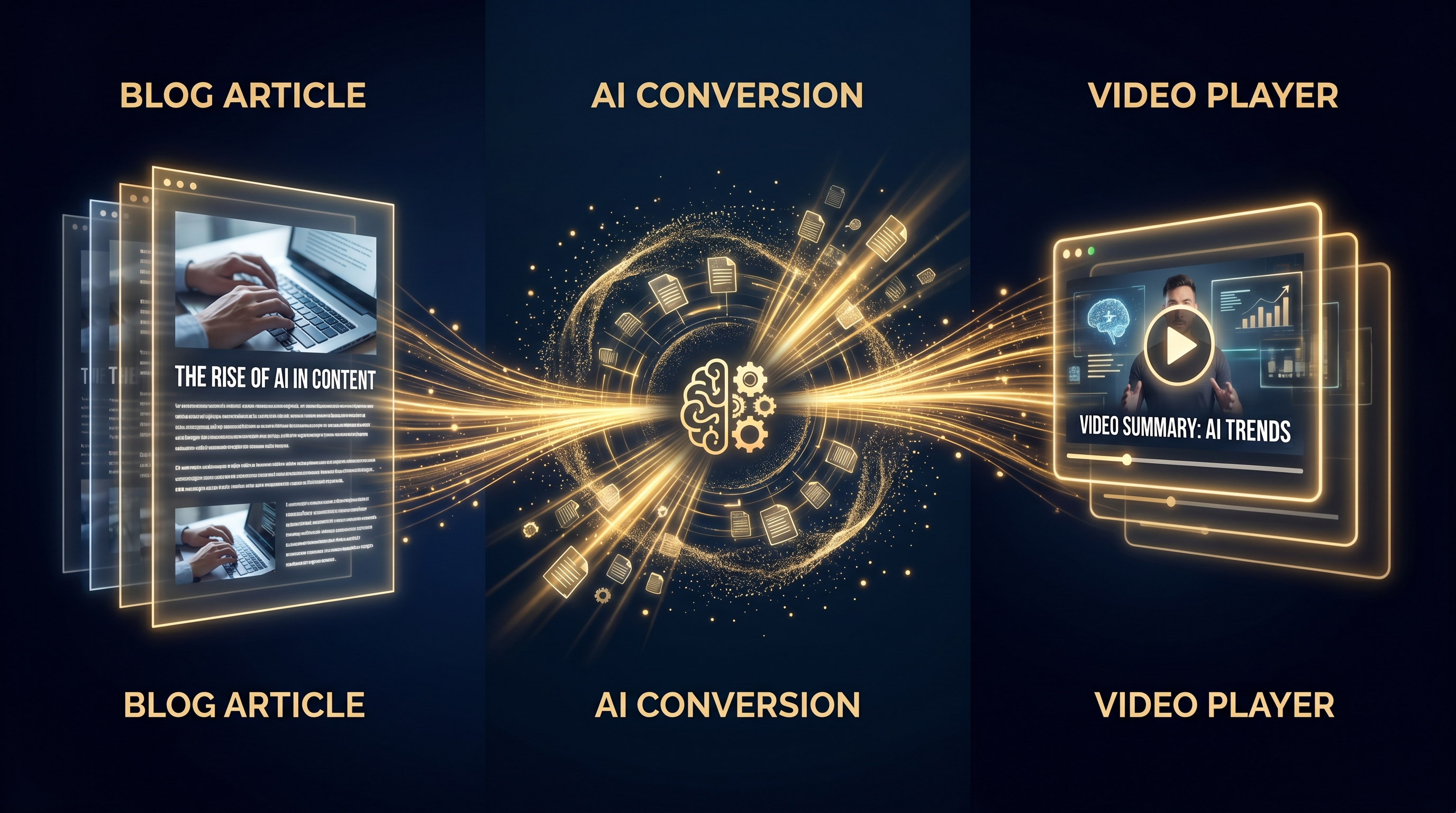
What it is: The go-to tool for turning blog posts and long videos into faceless shorts. Strong on repurposing, weak on long-form originals.
Pricing: Starter $23/mo (3 videos/month), Professional $35–47/mo (600 video minutes + 1,000 GenAI credits), Teams $119/mo. Monthly or annual billing.
Example cost: On Professional ($47/mo annual), a 10-minute video costs ~$1.40 effective (600 min ÷ $47 = ~$0.08/min, but credit system complicates this). Starter's 3-video cap makes it unusable for real channels.
Speed: 3–10 minutes per video for shorts (under 3 min). Long-form (8–15 min) takes 30–40 minutes and often needs manual cleanup.
Voices: ~60+ stock AI voices. Dated compared to ElevenLabs/MiniMax. You can tell they're AI.
Key features:
- Blog-to-video pipeline: paste an article URL, Pictory extracts key points, generates a storyboard, and matches stock footage. No other tool does this as smoothly.
- Webinar/podcast-to-shorts: upload a 60-min podcast, Pictory extracts 10–15 short clips with auto-captions. Great for repurposing.
- Auto-captions + branding: consistent captions and watermarks across videos.
- Stock library integration (Storyblocks, Shutterstock partial access).
Pros:
1. Best blog-to-video tool by far. If you have 100 blog posts sitting on your site, Pictory turns them into video content faster than any competitor.
2. Reasonable pricing on Professional ($35–47/mo). 600 minutes/month = 40–60 videos at 10 minutes each, depending on credit consumption.
3. Strong stock-footage matching. Pictory's B-roll selection engine is better than InVideo's, roughly on par with VidRush.
Cons:
1. Starter's 3-video/month cap is a trap. You hit it day one. Most users pay $23 to test, realize it's useless, upgrade to Professional ($47/mo) immediately.
2. AI voices feel dated. 60+ voices sounds good until you hear them next to ElevenLabs. They're serviceable, not great.
3. Long-form (10+ min) generation is clunky. Pictory is built for shorts. Forcing it to make 15-minute documentaries results in repetitive B-roll and awkward pacing.
Best for: Marketers with existing blogs, agencies spinning up faceless channels from written content, creators who already have podcasts/webinars to repurpose.
Bottom line: If you're starting from scratch with scripts, Pictory isn't your best bet. If you have 50 blog posts collecting dust, it's gold.
4. InVideo AI — best for natural-language editing

What it is: Solo-creator-focused tool with "Magic Box" text-command editing. Talk to your video like you'd talk to ChatGPT.
Pricing: Free (watermarked, 10 min/week), Plus $25/mo monthly or $20/mo annual (~50 generations/month), Max $60/mo monthly or $48/mo annual (~150 generations/month).
Example cost: On Plus ($20/mo annual), a 10-minute video costs ~$0.40 effective (50 gens ÷ $20 = $0.40/video). Cheapest per-video cost in this comparison.
Speed: 5–15 minutes per video depending on complexity.
Voices: 50+ AI voices, multiple languages. Quality is mid-tier, better than Pictory, not as good as WorkLess/VidRush.
Key features:
- "Magic Box" natural-language editing: type "delete scene 3", "change voiceover to British accent", "make it shorter". The editor complies. Best UX in the category.
- Workflow templates: 5,000+ templates for different niches. Start with a structure, customize from there.
- Stock library + AI-generated B-roll (powered by Shutterstock + generative models).
- Auto-captions and subtitles.
Pros:
1. Magic Box editing is genuinely the smoothest editing UX we've tested. You iterate by typing commands, not clicking through timelines. Feels like coding but for video.
2. Free tier lets you test for real before paying. Watermark is removable once you upgrade, so your test videos aren't wasted.
3. Cheapest per-video cost at the Plus tier (~$0.40/video for 10-min content). If you're on a tight budget and making 20–50 videos/month, InVideo is hard to beat.
Cons:
1. Output quality is uneven. Sometimes stock visuals feel mismatched to narration. Scene transitions can be abrupt.
2. Credit system gets confusing. Generative features (AI-generated B-roll, voice cloning) consume credits at API cost, which varies. You think you have 50 generations/month, but if you use generative B-roll heavily, it might be 35.
3. Long videos (8+ min) often need manual cleanup. Pacing feels off, scenes drag. InVideo shines for 3–6 minute videos, struggles with documentaries.
Best for: Solo creators who hate manual editing, budget-conscious creators making 20–50 videos/month, anyone who wants to iterate fast with text commands.
Bottom line: If you value editing UX over output perfection, InVideo is your tool. If you need documentary-grade quality, look elsewhere.
5. Fliki AI — best for multilingual creators

What it is: Voice-forward tool with the largest voice catalog (1,800+) and best multilingual support. If your channel isn't in English, start here.
Pricing: Free (5 min/month), Basic $21–28/mo (180 min/month), Standard $66/mo (600 min + premium voices), Premium $99/mo (1200 min + voice cloning + AI avatars).
Example cost: On Standard ($66/mo), a 10-minute video costs ~$1.10 effective (600 min ÷ $66 = $0.11/min). But Basic tier locks you out of premium voices, so most serious creators pay $66/mo minimum.
Speed: 5–10 minutes per video.
Voices: 1,800+ AI voices in 75+ languages. Largest catalog in this comparison by far. Covers languages and accents most competitors ignore (regional Hindi, Nigerian English, Brazilian Portuguese, etc.).
Key features:
- Text-to-video + text-to-speech focus. Fliki is more "narrate stock footage" than "full AI video pipeline".
- Voice cloning (Premium tier): upload 2 minutes of audio, Fliki clones your voice. Quality is competitive with ElevenLabs for some accents.
- AI avatars (Premium tier): Synthesia-style talking heads. Not as good as Synthesia, but included.
- 950+ video templates: pre-built structures for different niches.
- Idea-to-video workflow: type a topic, Fliki generates script + video in one shot.
Pros:
1. Voice catalog is unmatched. 1,800+ voices covers languages most competitors don't even list. If your channel is in Arabic, Swahili, or regional Indian languages, Fliki is the obvious choice.
2. Voice cloning on Premium ($99/mo) is solid. Cleaner than ElevenLabs in some accents (especially non-English).
3. Pricing tiers are flexible. Free tier is actually useful for testing (5 min/month = 1 short video). Basic ($21/mo) is reasonable for side-project channels.
Cons:
1. Visuals are the weakest of these five. Heavy reliance on static stock photos with simple zoom/pan. Feels more "slideshow with narration" than real video.
2. Premium voices locked behind $66/mo Standard tier. Basic tier ($21/mo) uses cheaper stock voices that sound robotic. You need Standard to access the good stuff.
3. Editor feels clunky. Timeline scrubbing is slow, preview renders take forever, iteration is painful compared to InVideo's Magic Box.
Best for: Multilingual creators, niches that need rare languages or niche accents, voice-cloning use cases, podcasters who want to visualize audio with stock footage.
Bottom line: If your channel is in English and visuals matter, Fliki isn't your best choice. If you need Tagalog, Urdu, or Czech narration, nothing else comes close.
Side-by-side comparison: all 5 tools
Here's everything in one table:
| Tool | Speed | Cost (10-min video) | Voices | Subscription Required? | Best For | Rating |
|---|---|---|---|---|---|---|
| WorkLess | 20 min | $25–45 | 394 | No | High-output creators, no commitment | ⭐⭐⭐⭐⭐ |
| VidRush | ~50 min | $19–27 | Full library + 25 exclusive | Credit-based | Teams, agencies, high volume | ⭐⭐⭐⭐ |
| Pictory AI | 30-40 min (long-form) | ~$14 effective (Professional) | 60+ | Yes ($47/mo min) | Blog repurposing | ⭐⭐⭐⭐ |
| InVideo AI | 5-15 min | ~$0.40 effective (Plus) | 50+ | Yes ($20/mo min) | Solo creators, budget-conscious | ⭐⭐⭐½ |
| Fliki AI | 5-10 min | ~$1.10 effective (Standard) | 1,800+ | Yes ($66/mo for premium voices) | Multilingual, voice cloning | ⭐⭐⭐⭐ |
Quick takeaways:
- Fastest: WorkLess (20 min), 2.5× faster than VidRush
- Cheapest per video (subscription): InVideo AI Plus ($0.40/video effective)
- Best value at scale: VidRush Scale ($1.93/min for 100+ videos/month)
- Most voices: Fliki AI (1,800+ covering 75 languages)
- No subscription required: Only WorkLess (pay-per-video)
Mobile-friendly summary: If you hate subscriptions → WorkLess. If you make 100+ videos/month → VidRush Scale. If budget is tight and you can commit monthly → InVideo Plus. If you repurpose blogs → Pictory. If non-English → Fliki.
How to choose: which tool for which creator?
The best tool depends on your workflow. Here's the decision tree.
If you're testing your first faceless channel (0–5 videos made so far)
Choose: WorkLess
Why: No monthly commitment means you're not stuck paying $25–99/mo while you figure out if faceless YouTube is for you. Make 2 test videos ($50–90 total), see if they get views, decide if you want to continue. With subscription tools, you're locked in even if video #1 flops.
If you're a high-output solo creator (10–30 videos/month)
Choose: WorkLess
Why: Speed matters. 20 minutes per video vs 50 minutes (VidRush) or 30 minutes (Pictory) is the difference between finishing 10 videos in 3.5 hours vs 8+ hours. At $2.50–4.50/min, 10 videos/month costs $250–450. VidRush Starter ($99/mo) only gets you 4 videos, so you'd need Pro ($490/mo). WorkLess is cheaper and faster until you hit 50+ videos/month.
If you're running an agency with 50–100+ videos/month
Choose: VidRush Scale
Why: At 100 videos/month (1,000 minutes total), VidRush Scale costs $1,750/mo = $1.93/min. That's $1,930 total. WorkLess at $2.50/min would cost $2,500. VidRush wins on cost at this scale, and team workspaces (3–10 seats) make collaboration easier.
But: You need to be patient. 50-minute generation time × 100 videos = 83 hours of generation time per month. If you batch-generate overnight, fine. If you need same-day turnaround, WorkLess's 20-minute speed (33 hours for 100 videos) might be worth the $570/mo premium.
If you already have a blog with 50+ posts
Choose: Pictory AI Professional
Why: Blog-to-video repurposing is Pictory's killer feature. Paste your article URLs, Pictory generates storyboards, matches stock footage, outputs videos. No other tool does this as smoothly. At $47/mo (Professional tier), 600 minutes/month = 40–60 videos depending on length. If half your faceless content comes from existing blog posts, Pictory pays for itself in time saved.
If you hate manual editing and want text-command iteration
Choose: InVideo AI Plus
Why: Magic Box editing ("delete scene 3", "change voiceover to British", "make it 30 seconds shorter") is the fastest iteration workflow in this comparison. At $20/mo annual for ~50 generations, it's also the cheapest per-video cost. If you're making 20–50 videos/month and don't mind spending 10 minutes per video giving text commands, InVideo is unbeatable on price.
Trade-off: Output quality is uneven. You'll get 7/10 videos on the first try, 3/10 need heavy editing. If you value speed/price over perfection, that's fine.
If your channel is non-English or needs rare accents
Choose: Fliki AI Standard or Premium
Why: 1,800+ voices in 75+ languages. If your niche is Hindi financial advice, Nigerian entrepreneurship, or Brazilian travel vlogs, Fliki has voices that sound native. WorkLess and VidRush have 394 and ~300 voices respectively, good for English, Spanish, French, but weak on regional languages.
Trade-off: Visuals are weak (slideshow-style stock footage). If you're voice-heavy and visuals are secondary, that's acceptable. If you need cinematic B-roll, go with WorkLess or VidRush instead.
If you want the absolute lowest cost and can commit 12 months
Choose: InVideo AI Plus (annual $20/mo) or Pictory Professional (annual $35/mo)
Why: Per-video cost drops to $0.40 (InVideo) or ~$0.60 (Pictory) effective. That's 6× cheaper than WorkLess per video. But you're locked in for a year, and if you don't use your monthly credits, they expire. Only pick this if you're confident you'll make 20–50 videos every single month for 12 months straight.
Quick decision matrix
| Your situation | Best tool | Why |
|---|---|---|
| First 5 videos, testing | WorkLess | No commitment |
| 10-30 videos/mo, solo | WorkLess | Speed + cost balance |
| 50-100+ videos/mo, team | VidRush Scale | Lowest $/min at scale |
| Repurposing blog posts | Pictory Pro | Blog-to-video pipeline |
| Budget-conscious, 20-50 videos/mo | InVideo Plus | Cheapest per video |
| Non-English channel | Fliki Standard | 1,800+ voices |
| Hate editing, love text commands | InVideo Plus | Magic Box UX |
The real cost: subscription vs pay-per-video math
Most creators pick subscription tools because "$25/month" sounds cheaper than "$25/video". Let's run the numbers.
Scenario 1: You make 5 videos/month (10 minutes each)
WorkLess (pay-per-video):
5 videos × 10 min × $2.50/min = $125/month
InVideo Plus ($20/mo annual):
50 generations/month cap → $20/month effective (if you use all 50)
But you're only using 5. That's $20/month for 5 videos = $4/video
Pictory Professional ($47/mo annual):
600 minutes/month cap → $47/month for 50 minutes used
That's $9.40/video effective
Winner: InVideo Plus, if you can commit to 12 months and don't mind the subscription sitting mostly unused.
Scenario 2: You make 20 videos/month (10 minutes each)
WorkLess:
20 × 10 × $2.50 = $500/month
InVideo Plus:
20 videos fits under 50-generation cap → $20/month = $1/video effective
Pictory Professional:
200 minutes used, 600 cap → $47/month = $2.35/video
VidRush Pro ($490/mo):
~25 videos/month credit allocation → $490/month = $19.60/video
Winner: InVideo Plus at $20/mo ($1/video) if output quality is acceptable. WorkLess if you need speed (20 min vs InVideo's 15 min) and don't mind paying $500/mo.
Scenario 3: You make 50 videos/month (10 minutes each)
WorkLess:
50 × 10 × $2.50 = $1,250/month
InVideo Max ($48/mo annual):
150 generations/month cap → $48/month = $0.96/video
VidRush Pro ($490/mo):
~25 videos → need to upgrade to Scale ($1,750/mo for ~100 videos)
$1,750/month = $35/video at 50 videos/month (or $17.50/video if you make 100)
Winner: InVideo Max ($48/mo) if you can tolerate uneven output quality. VidRush Scale ($1,750/mo) if you need team seats and can make 100 videos/month to get cost down to $17.50/video.
The subscription trap: unused credits
Here's what most creators miss: subscription credits expire.
If you pay Pictory $47/mo for 600 minutes, and you only use 200 minutes, the other 400 minutes disappear at month-end. You paid $47 for 200 minutes = $0.24/min, but you could've paid WorkLess $2.50/min × 20 min = $50 and not wasted any capacity.
The subscription model wins if and only if you hit 80%+ utilization every month. Most creators don't. They make 10 videos one month, 3 the next, 25 the next. Pay-per-video (WorkLess) means you only pay for what you use.
Break-even analysis
When does WorkLess cost more than subscriptions?
- vs InVideo Plus ($20/mo): If you make more than 8 videos/month at 10 min each (8 × 10 × $2.50 = $200 > $20), InVideo is cheaper per video.
- vs Pictory Professional ($47/mo): Break-even is ~18 videos/month (18 × 10 × $2.50 = $450 vs $47).
- vs VidRush Scale ($1,750/mo): Break-even is ~70 videos/month (70 × 10 × $2.50 = $1,750).
When does WorkLess win?
- If you're under 8 videos/month: cheaper than InVideo
- If you value speed: WorkLess's 20 min beats everyone at similar quality
- If you hate commitment: no risk of $240–564/year wasted on unused subscriptions
Bottom line: Subscriptions are cheaper at high, consistent volume. Pay-per-video (WorkLess) is cheaper at low or inconsistent volume. Most faceless creators are inconsistent, they test niches, some months are busy, some aren't. WorkLess fits that reality.
FAQ: 5 questions we get asked most
Q: What's the cheapest AI faceless video generator?
A: Depends on how many videos you make per month.
- 1–5 videos/month: InVideo AI Plus ($20/mo annual) = $1–4/video effective
- 10–20 videos/month: InVideo AI Plus still wins ($20/mo = $1/video)
- 50+ videos/month: VidRush Scale ($1,750/mo) drops to $1.93/min, which beats everyone at high volume
- Inconsistent volume (some months 2 videos, some months 20): WorkLess pay-per-video ($2.50–4.50/min), you don't waste money on unused subscription credits
"Cheapest" is context-dependent. For most creators with inconsistent output, WorkLess's no-commitment model saves money over subscriptions that sit unused.
Q: Which AI video generator is fastest?
A: WorkLess at ~20 minutes per video. VidRush takes ~50 minutes. Pictory and InVideo take 5–40 minutes depending on length. Fliki takes 5–10 minutes.
Speed matters if you're making 10+ videos/month. 20 min × 10 videos = 3.5 hours. 50 min × 10 videos = 8.5 hours. That's 5 hours of your life back per 10 videos.
Q: Can I try these tools before paying?
A: Yes, but with limits:
- WorkLess: Free trial, no card required. Generate your first video, see the full workflow, only pay when you export.
- InVideo AI: Free tier (watermarked, 10 min/week). Test for real, upgrade to remove watermark.
- Pictory: 3 free videos (limited minutes). Enough to test, not enough to run a channel.
- Fliki: Free tier (5 min/month = 1 short video). Test voices and workflow.
- VidRush: Waitlist required in most regions. Can't test until approved.
If you want to test without friction, WorkLess and InVideo have the lowest barriers. VidRush has the highest (waitlist + $99 minimum).
Q: Which tool has the best voices?
A: Depends what "best" means:
- Quantity: Fliki AI (1,800+ voices in 75 languages) is unmatched. If you need Tagalog, Swahili, or regional Hindi, Fliki wins.
- Quality: WorkLess (394 ElevenLabs + MiniMax voices) and VidRush (full library + 25 exclusive) tie for top-tier TTS quality. ElevenLabs voices sound human in 2026, Pictory's 60 stock voices sound like 2023 AI.
- For English channels: WorkLess or VidRush. Both run on the best TTS providers available in 2026 (ElevenLabs and MiniMax).
- For non-English channels: Fliki (1,800+ voices cover rare languages competitors ignore).
Q: Do I need technical skills to use these tools?
A: No. All five tools are designed for non-technical users.
Workflow for all:
1. Paste your script (or upload an article for Pictory)
2. Pick voice + niche/style
3. Wait 5–50 minutes (depending on tool)
4. Download 1080p MP4
The hardest part is writing the script. The tools handle voice, visuals, pacing, editing, music, and export automatically.
Easiest UX: InVideo AI (Magic Box text commands) and Pictory (blog-to-video automation).
Most manual control: WorkLess Custom mode and VidRush's timeline editor (but still no coding required).
If you can write a YouTube script and click buttons, you can use any of these tools.
The verdict: which tool should you choose?
We tested all five. Here's the honest ranking.
For most faceless creators: WorkLess wins on speed (20 min), pricing transparency ($2.50–4.50/min, no credit math), and no-commitment flexibility. If you're making 5–30 videos/month and hate subscriptions sitting unused, this is your tool.
For agencies at scale: VidRush Scale ($1,750/mo for 100 videos) offers the lowest per-minute cost ($1.93/min) and team workspaces. But you're locked into monthly billing, generation is slow (50 min/video), and there's waitlist friction.
For budget-conscious solo creators: InVideo AI Plus ($20/mo annual) is the cheapest per-video cost ($0.40–1/video effective). Output quality is uneven, but if you're okay with 7/10 videos on the first try, the price can't be beat.
For blog repurposing: Pictory Professional ($47/mo) if you have 50+ blog posts to turn into video content. The blog-to-video pipeline is unmatched.
For multilingual channels: Fliki AI Standard ($66/mo) if your niche needs rare languages or regional accents. 1,800+ voices cover what competitors ignore.
Our recommendation
Start with WorkLess. No card required, free trial, see the full workflow before you commit. Make 2–3 test videos in your niche. If they perform, scale up. If they flop, you didn't waste $240–1,200/year on a subscription.
If you're already making 50+ videos/month and need team seats, VidRush Scale is the better long-term bet, but expect 50-minute generation times.
If you're on a tight budget and can commit to 50 videos/month consistently, InVideo AI Max ($48/mo annual) is unbeatable on cost, but output quality requires more manual fixes.
Ready to start?
Create your first faceless video with WorkLess →
No card required. Paste your script, pick a mode, wait 20 minutes. See if faceless YouTube is for you, without risking a monthly subscription.
Internal links:
- WorkLess Pricing: transparent per-minute costs, no surprises
- WorkLess Demo Videos: see real output from all three modes
- How to start a faceless YouTube channel in 2026 (coming soon)
Last updated: May 16, 2026. Pricing and features verified against vendor sites. All generation times tested with a 1,800-word finance script on May 15–16, 2026.